This service allows Rwandans to apply for and pay for Mutuelle for themselves and their household. This service is provided by the Rwanda Social Security Board (RSSB).
Prerequisites:
Applicants with or without an Irembo account can apply for this service.
The head of the household should have a national ID number.
Applicants should have a valid phone number and/or email address.
Follow these simple steps to pay for Community-Based Health Insurance (Mutuelle):
Option 1: When applying via the web.
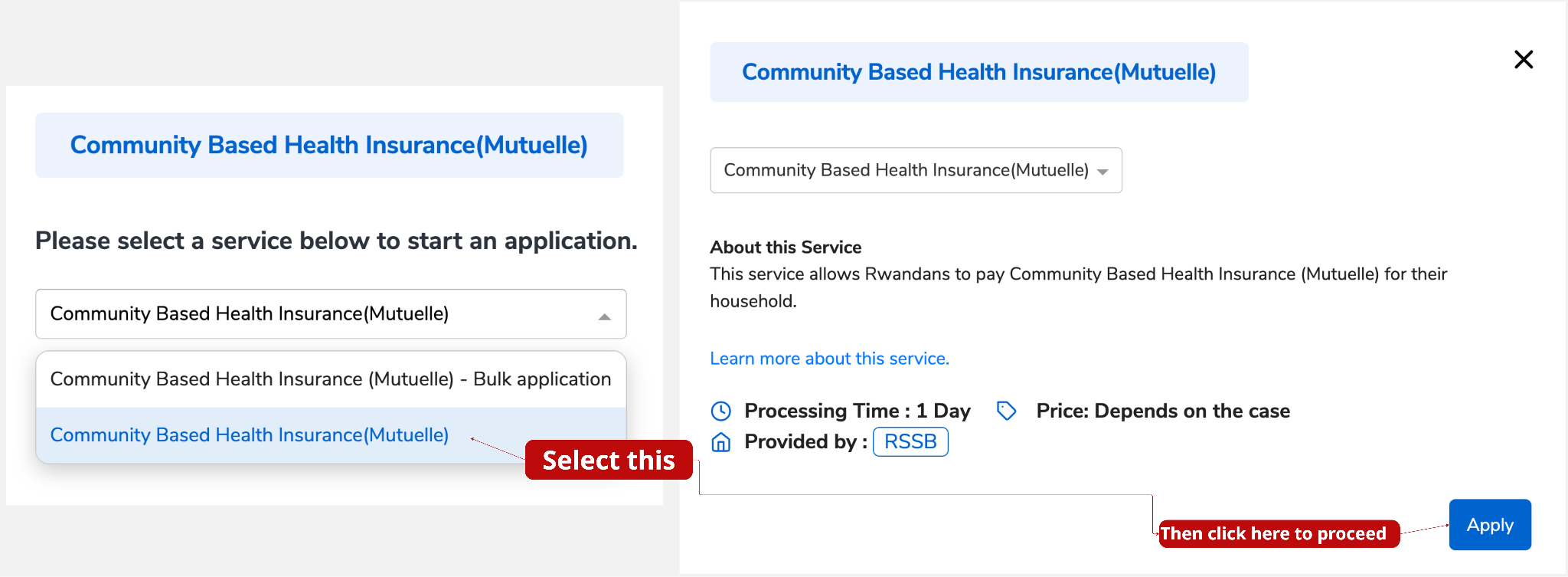
Step 1: Visit www.irembo.gov.rw and under Health, click on Community Based Health Insurance (Mutuelle).

Step 2: Click on Apply.
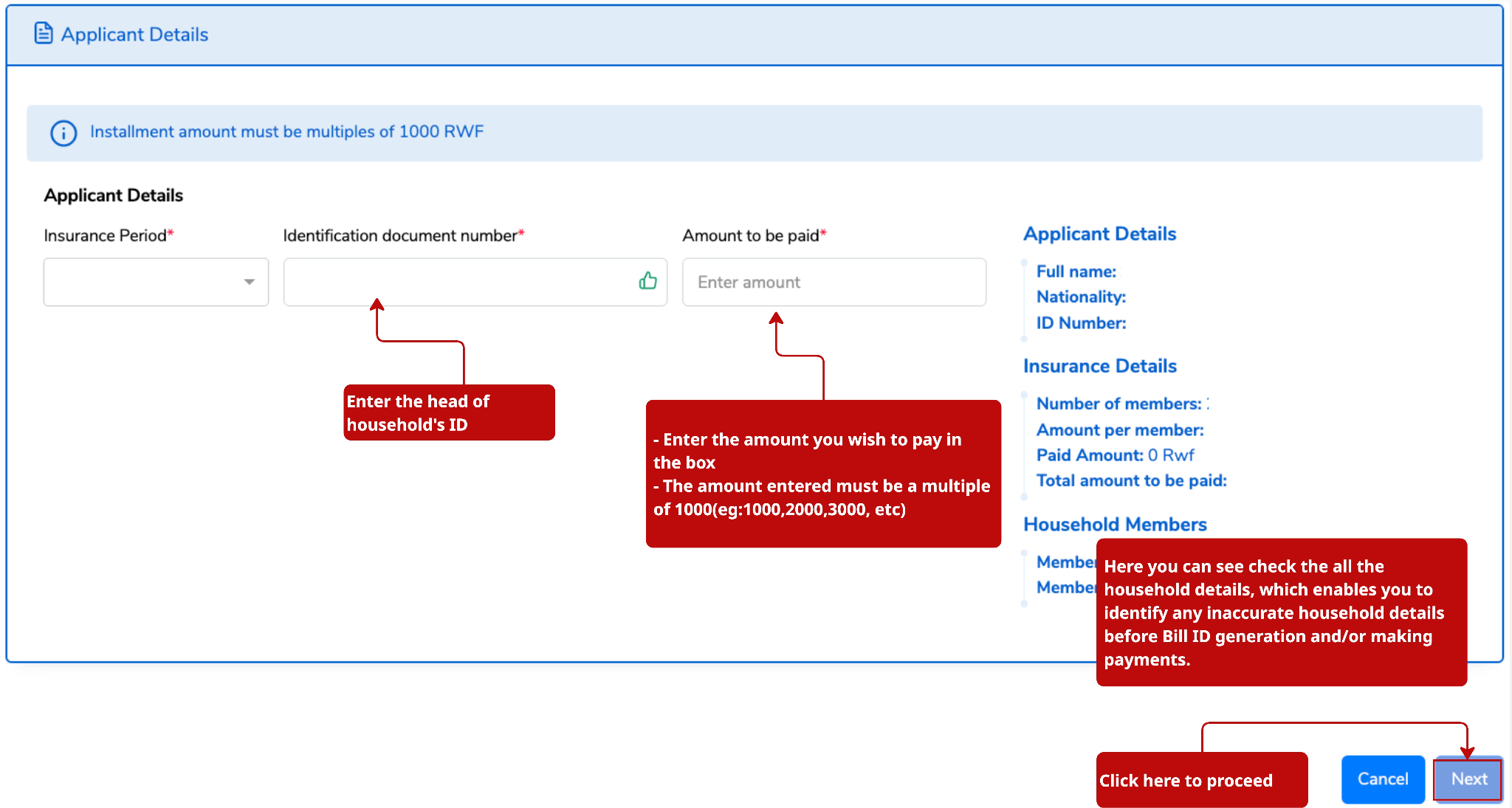
Step 3: Enter the Head of Household’s ID number. The insurance details ,amount to be paid and household members' details will be displayed automatically. Then, enter the amount you wish to pay in the designated field.
NOTE:
The contribution amount is determined based on your registration level in the IMIBEREHO Dynamic Social Registry. For more information, click here.
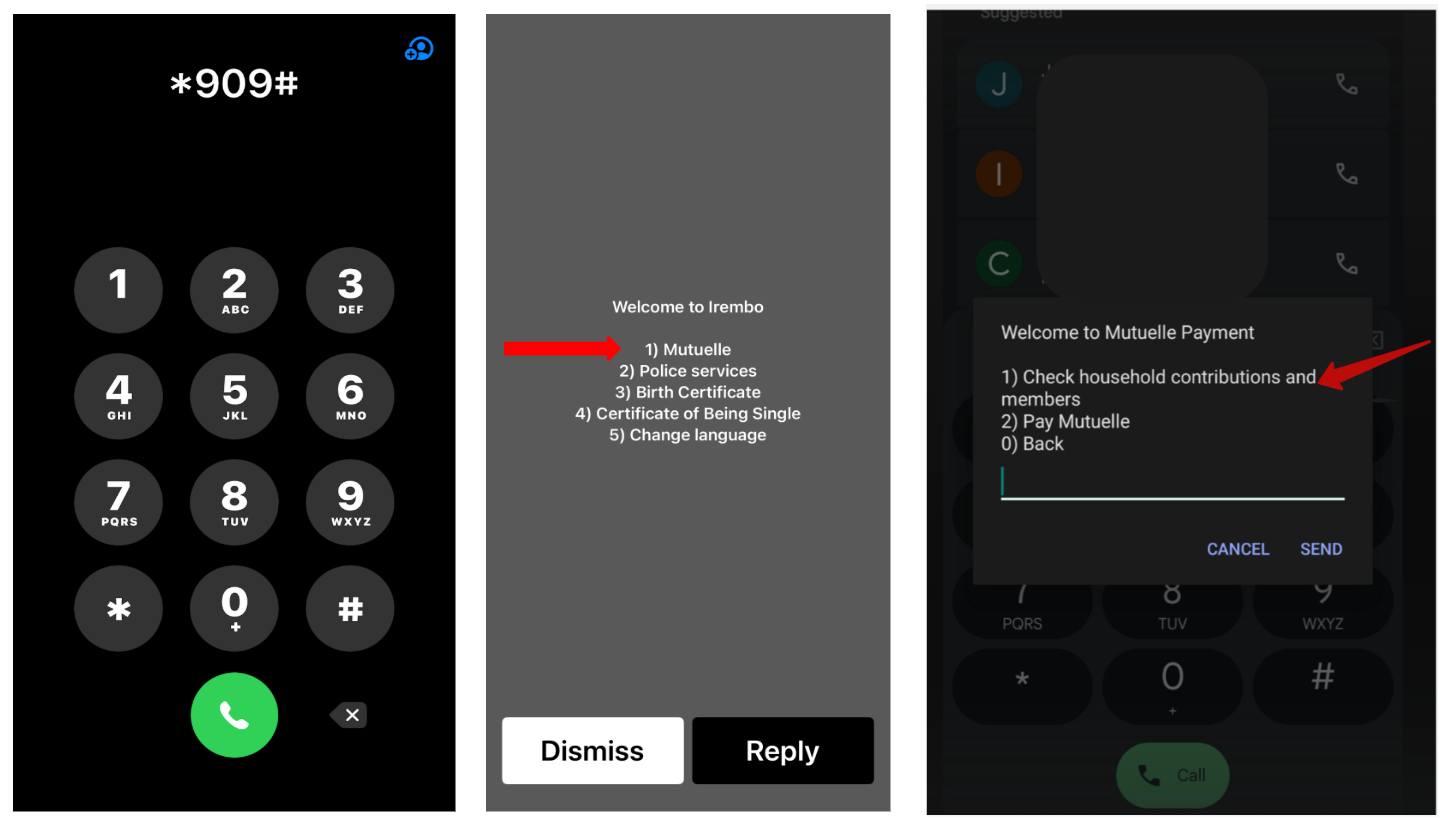
You can also check the household contributions and members by dialing *909# and following the instructions.
To check your registration level in the IMIBEREHO Dynamic Social Registry, dial *195# and follow the instructions.
To add or remove household members, update household information, or correct your registration level in the Imibereho Dynamic Social Registry, please visit your cell office and contact the Socio-Economic Development Officer (SEDO) for assistance with the required changes.
Step 4: Verify that the information is true, enter a phone number and/or email address, check the verification box, and click Submit.
Step 5: A billing Number/ID (88…) will be generated for payment. Click Pay
Step 6: Applicants choose the mode of payment. For more information about payment modes, click here.
Option 2: When applying via USSD.
Step 1: Dial *909#, select "mutuelle," then check Household Contribution & Members
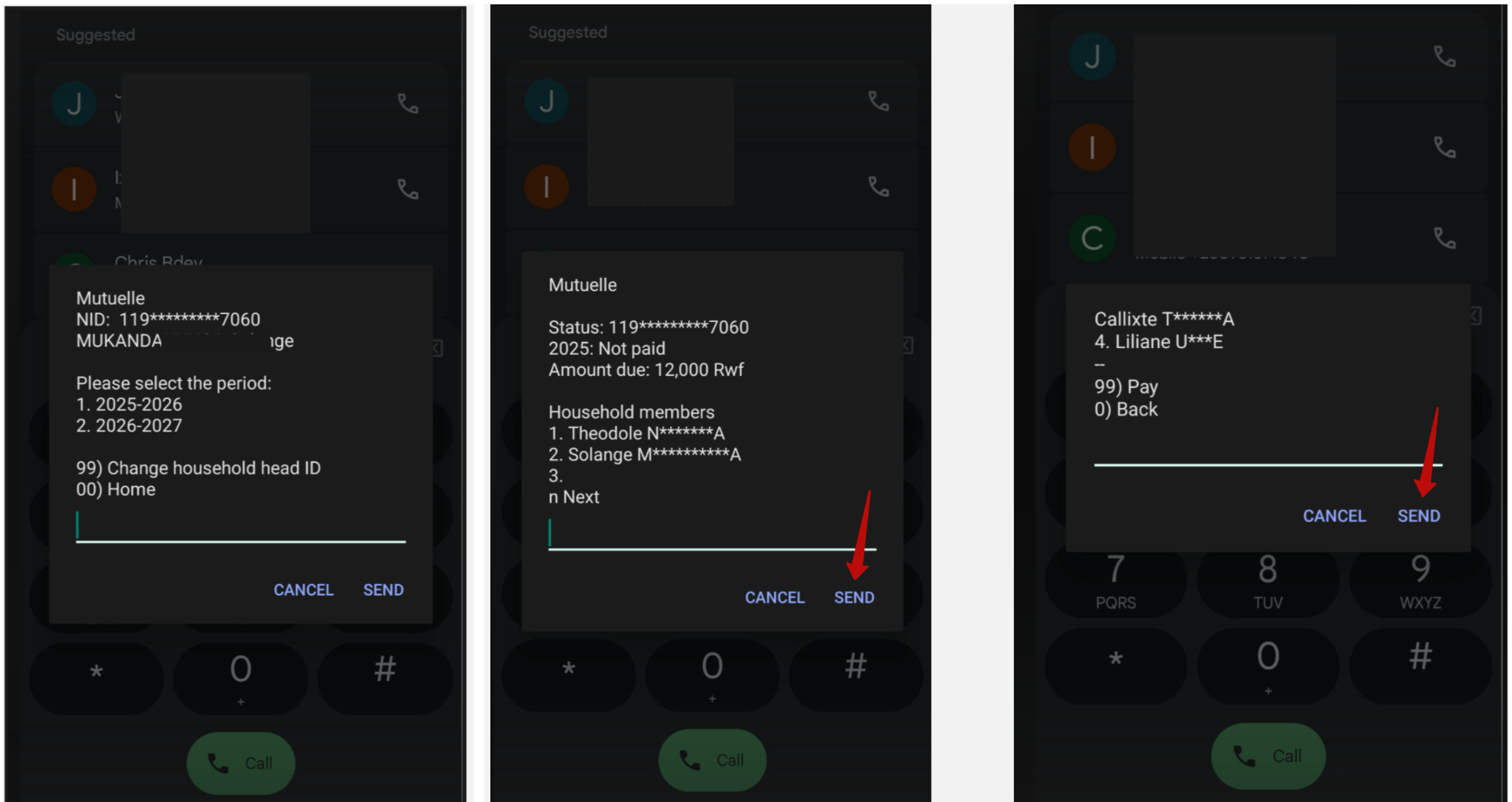
Step 2: Enter the National ID of the head of household; the list of members will be displayed. After verifying the information, click Next to proceed with payment.
NOTE: After applying and successfully paying via IremboGov, the applicant receives a confirmation notification via SMS/email informing them that the payment has been received. They can start using their insurance